Do you keep the WhatsApp Business app? This guide does not work for your number: Meta leaves the name and photo to the app, and they can be changed neither in Business Manager nor in Messaging Me. Change them in the app’s business profile, on your phone. This guide applies to a number connected directly to the official API, without the app.
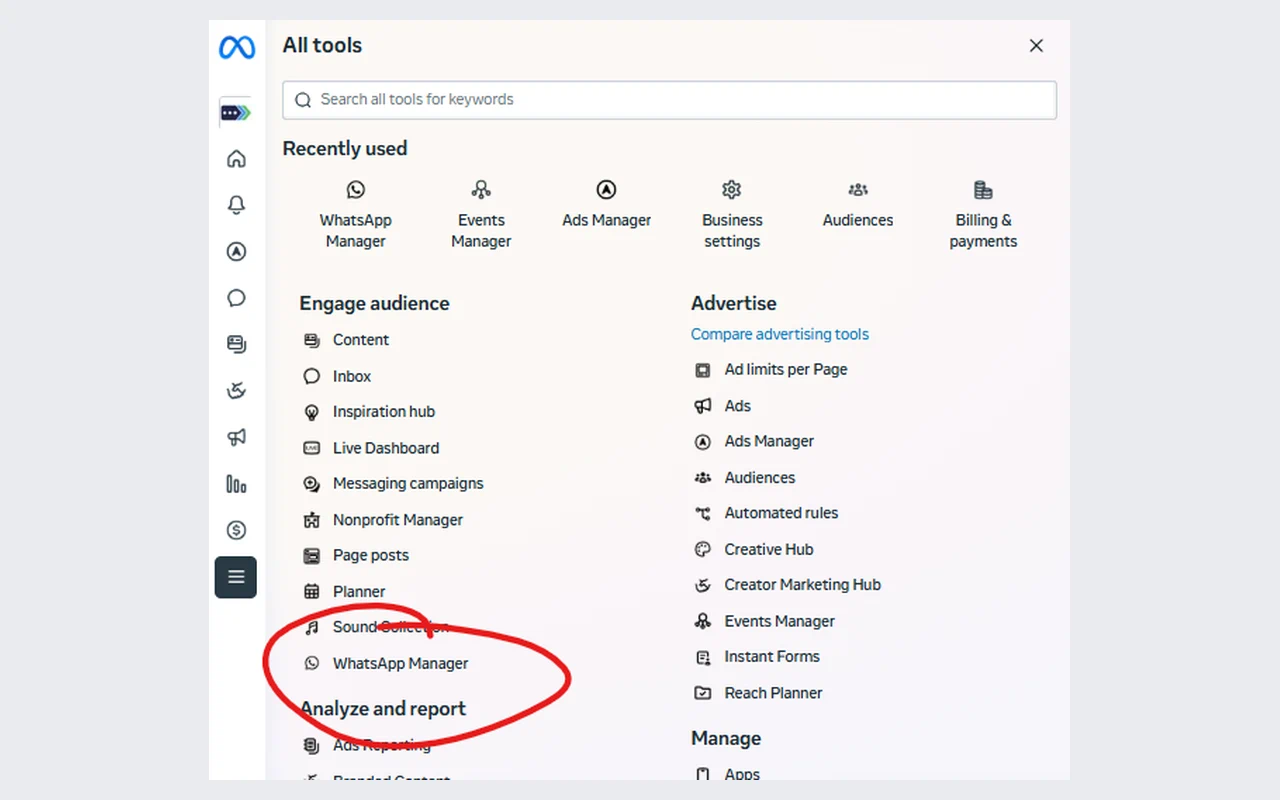
1. Open WhatsApp Manager
In your Business Manager (business.facebook.com), click the ≡ menu at the bottom left: “All tools” opens. Choose “WhatsApp Manager”.
In detail
You can also type its address: business.facebook.com/wa/manage/home.
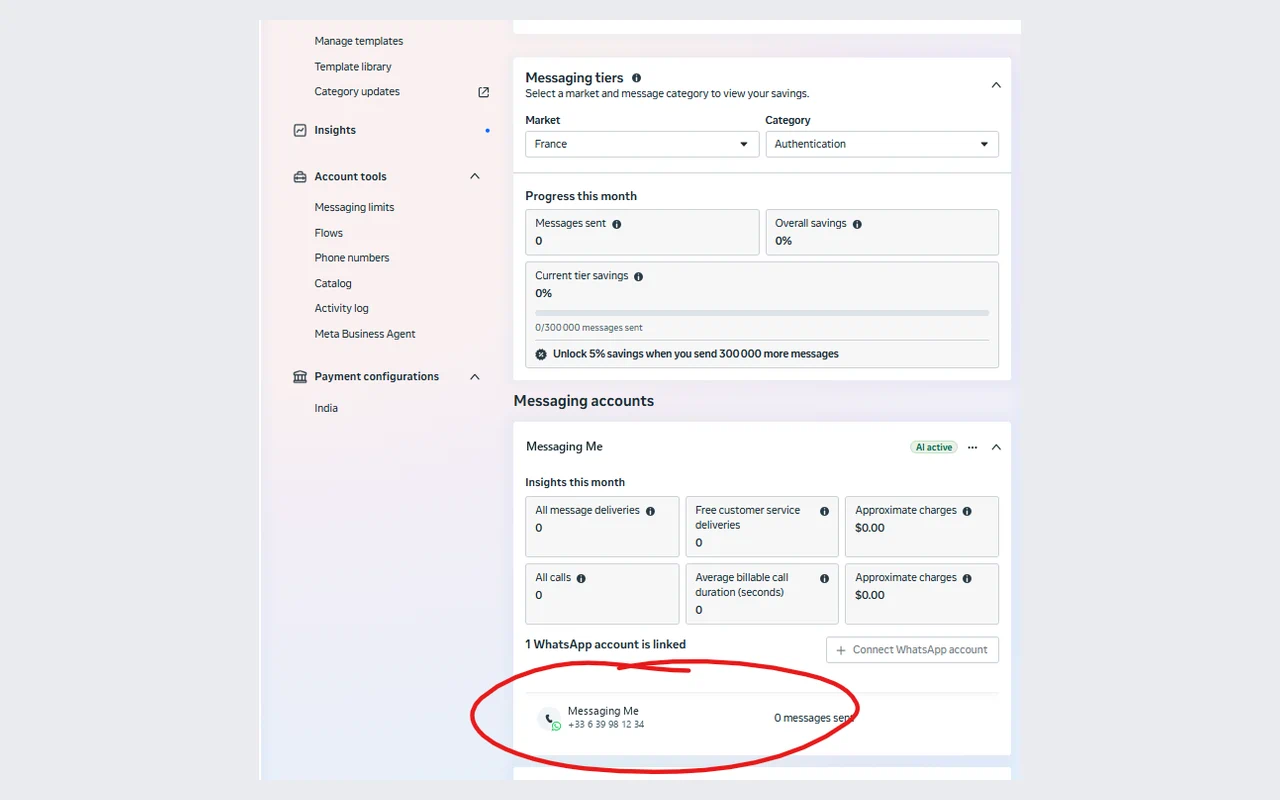
2. Select your number
Further down the page, each WhatsApp account lists its numbers: click yours.
In detail
The left menu leads there too: “Account tools”, then “Phone numbers”.
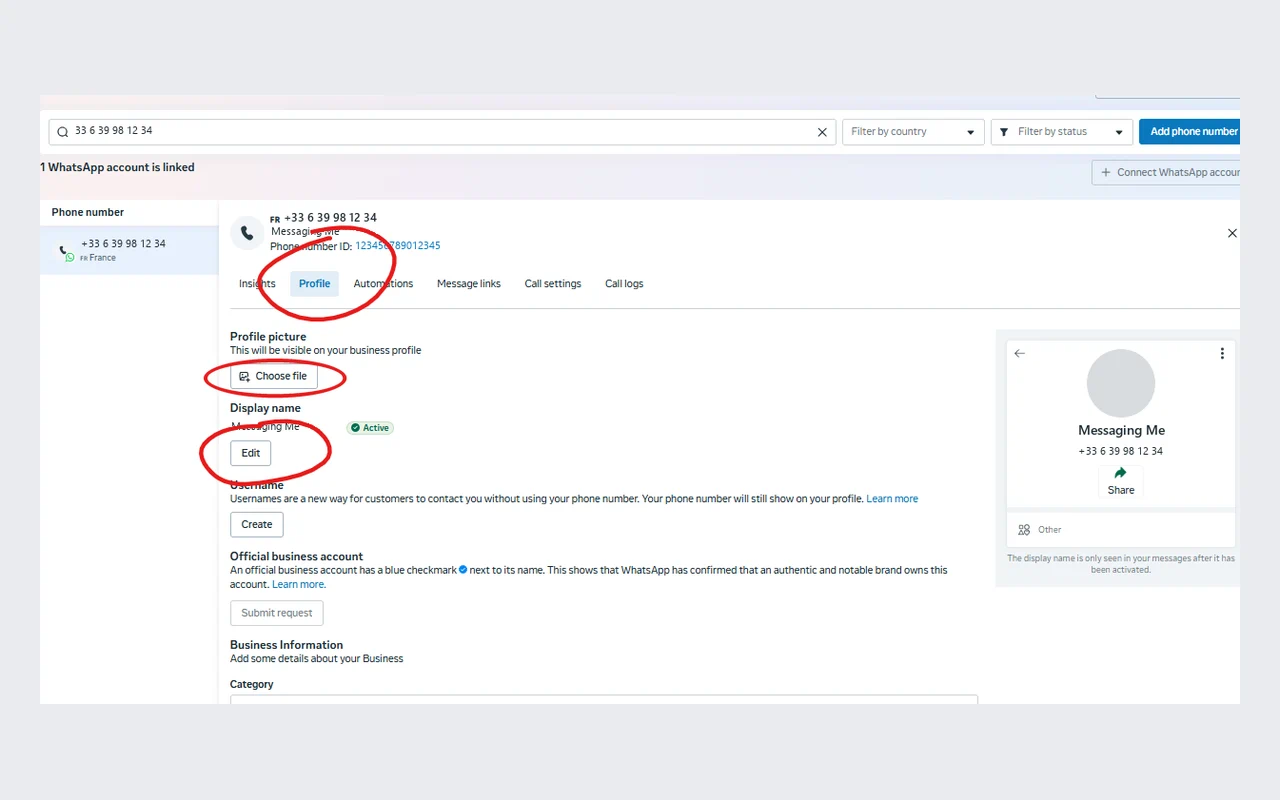
3. Change the name or the photo
In the number’s “Profile” tab: “Edit” under “Display name” for the name, the button under “Profile picture” for the photo.
In detail
The preview, on the right, shows what your customers will see. Meta reviews every new name, ten changes at most per 30-day period: during the review, or after a rejection, WhatsApp may show the number instead of the name. Pick the name of your business or its brand: Meta rejects a name unrelated to it.