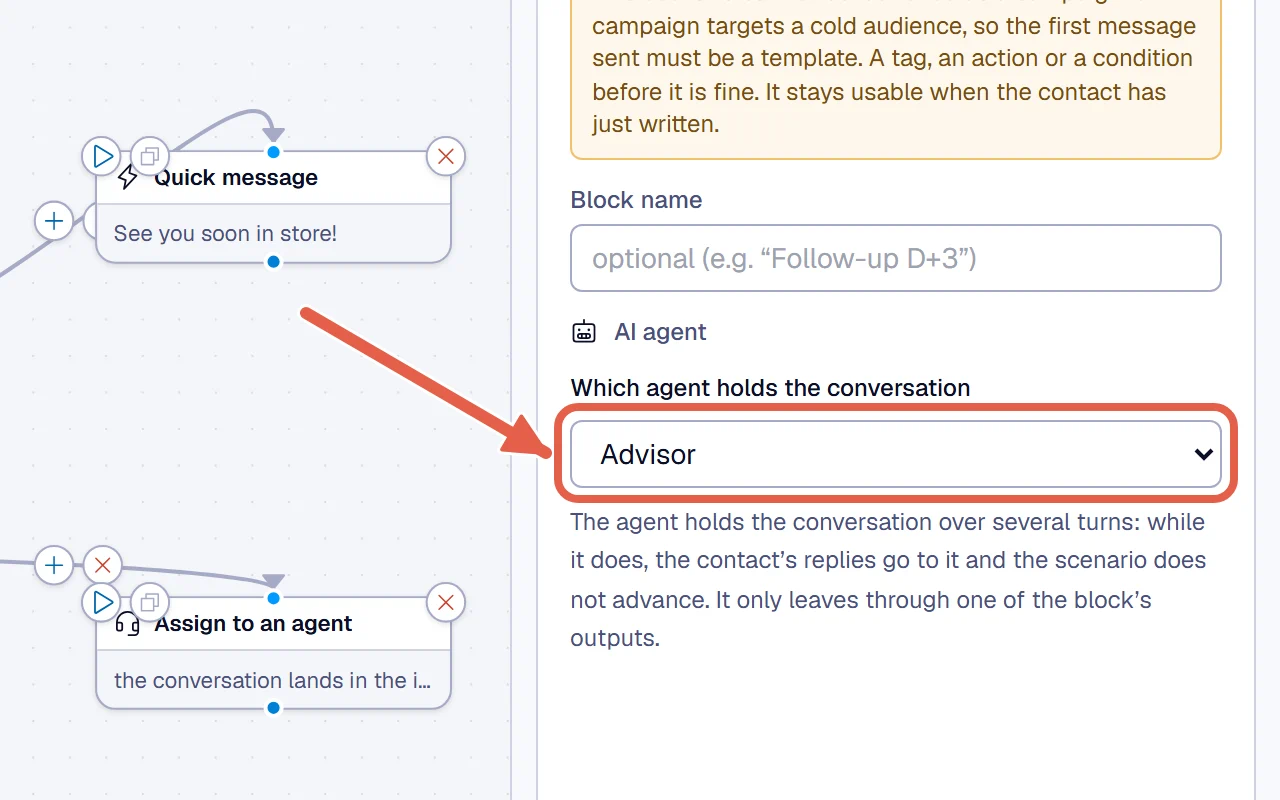
1. Choose the agent
Click the block, then choose in "Which agent holds the conversation".
In detail
- Only your active agents are offered: the block is greyed out in the palette while none is. The agent is built in the AI Agent menu; its guide "Build an AI agent" explains it.
- While it holds the conversation, every message from the contact goes to it and the scenario does not move. A reaction (an emoji) does not restart it.
- It writes free text: it only goes out in an open conversation. A scenario that starts with it therefore cannot go out as a campaign.
- It cannot follow the "Then, without waiting" output of a quick message: the scenario cannot be published.
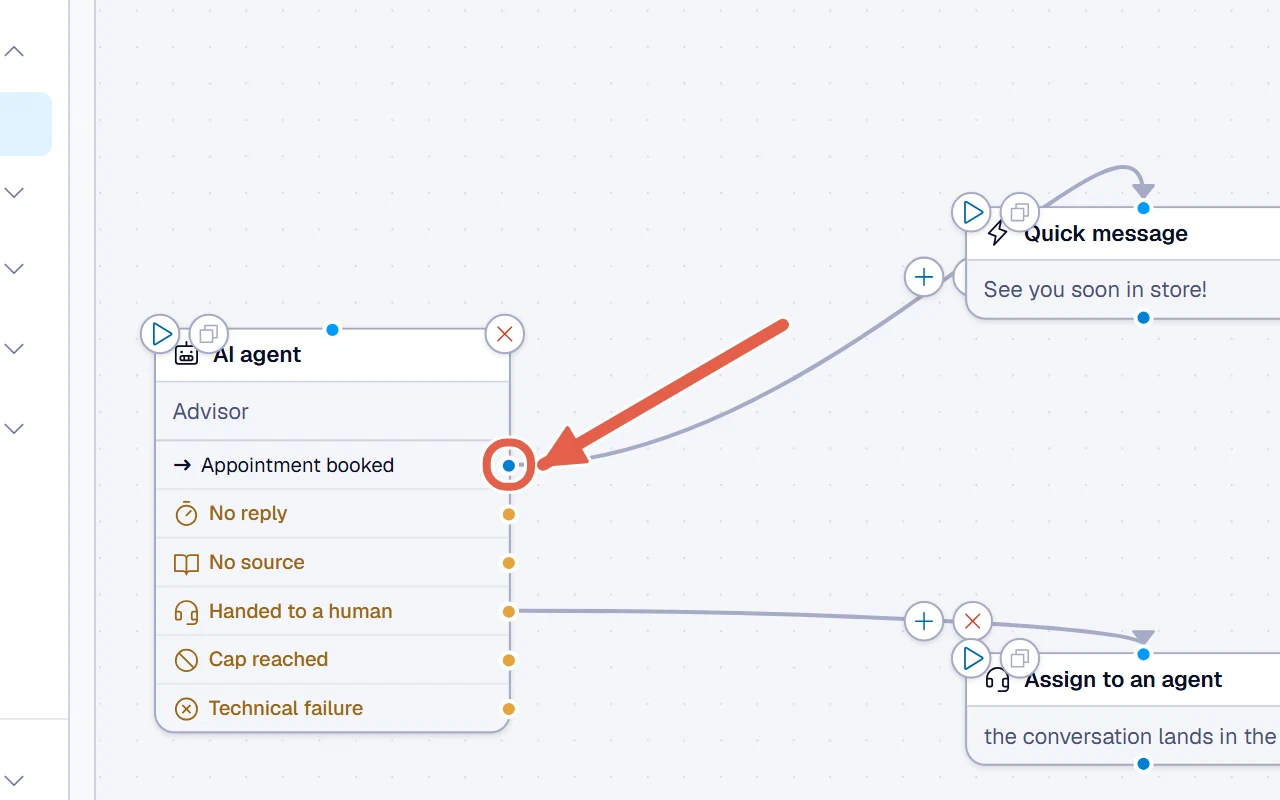
2. Connect its stop rules
Each stop rule of the agent becomes an output of the block, with its name.
In detail
- The rules are declared on the agent's record, in the AI Agent menu.
- A rule connected to nothing has a red dot: if the agent leaves through it, the conversation goes to your team.
- If the agent's rules have changed, "Update the block's outputs" takes them over, without touching the automatic outputs.
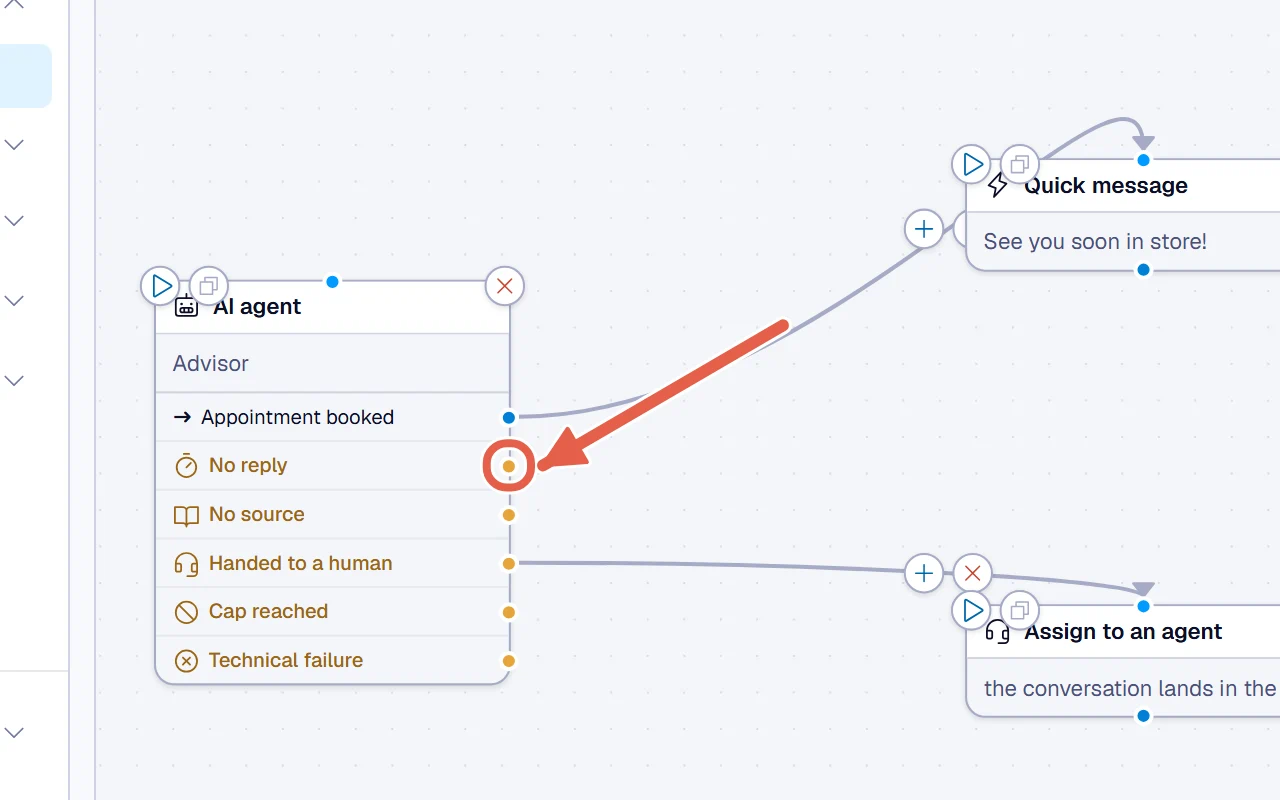
3. Connect the automatic outputs
Five outputs always exist: No reply, No source, Handed to a human, Cap reached, Technical failure.
In detail
- No reply: after the inactivity delay set on the agent's record, 30 minutes by default.
- No source: the agent found nothing in its knowledge base.
- Cap reached: turns, actions or budget used up, or AI credit unavailable.
- Technical failure: the model or a send failed.
- Connected to nothing, no red dot shows them: "No reply" stops the journey, the four others hand the conversation to your team.