
Deep HubSpot integration The deepest integration between WhatsApp and HubSpot.
Messaging Me fills your HubSpot on its own and makes every conversation actionable. Your teams reply without leaving HubSpot, whatever your plan.
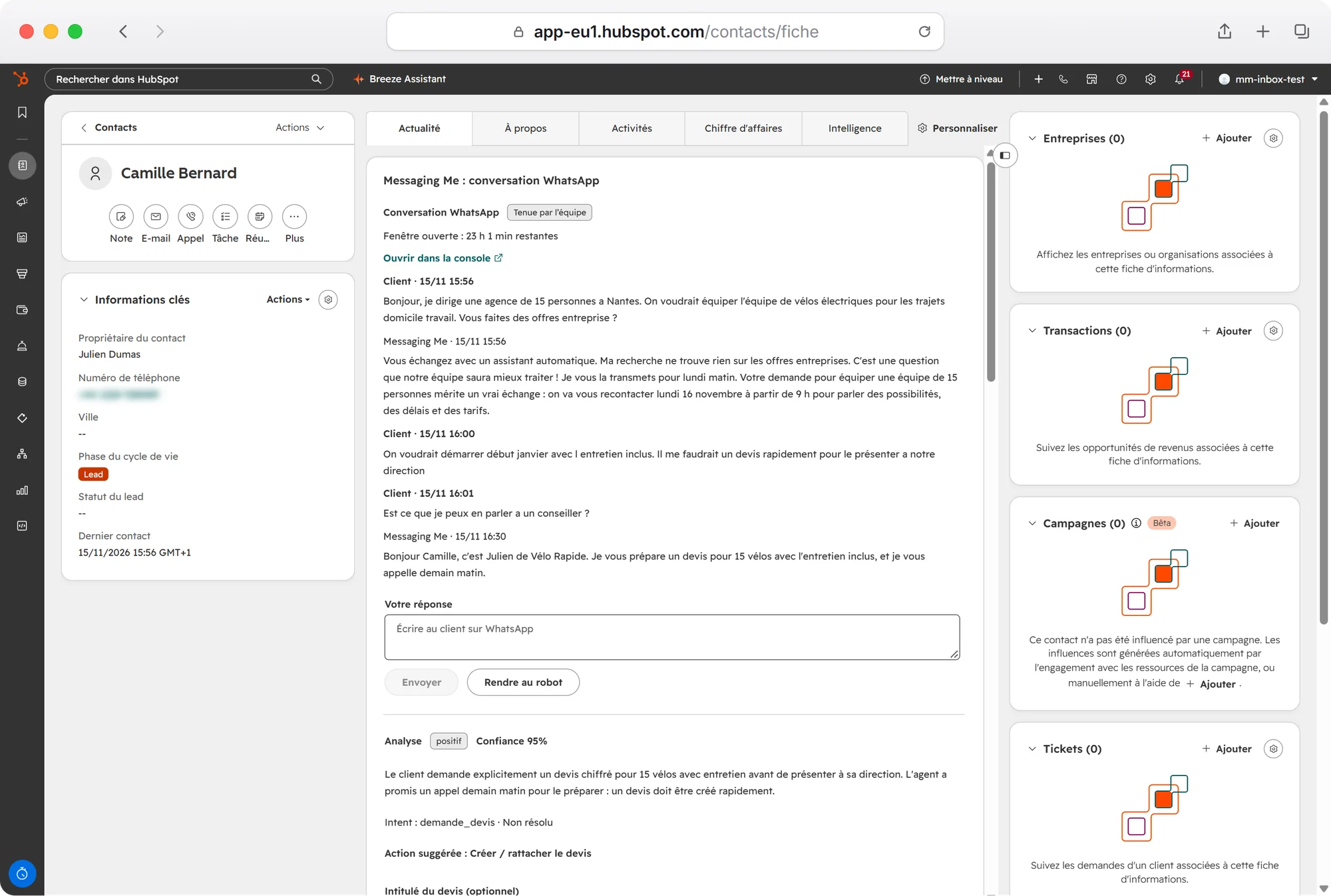
The missing link between your conversations and your CRM.
What your customers say on WhatsApp reaches HubSpot analyzed, filed and turned into an action. Nobody retypes anything, and no conversation is left without follow-up.
The film: more than a channel, conversational.
From an ad or a form to the HubSpot record: the conversation analyzed, turned into an action, and the advisor’s reply, without leaving HubSpot.
What the native channel does not give you.
-
1
Every conversation comes back analyzed
Intent, sentiment, urgency, suggested action: the contact record fills itself, in properties your HubSpot workflows follow.
-
2
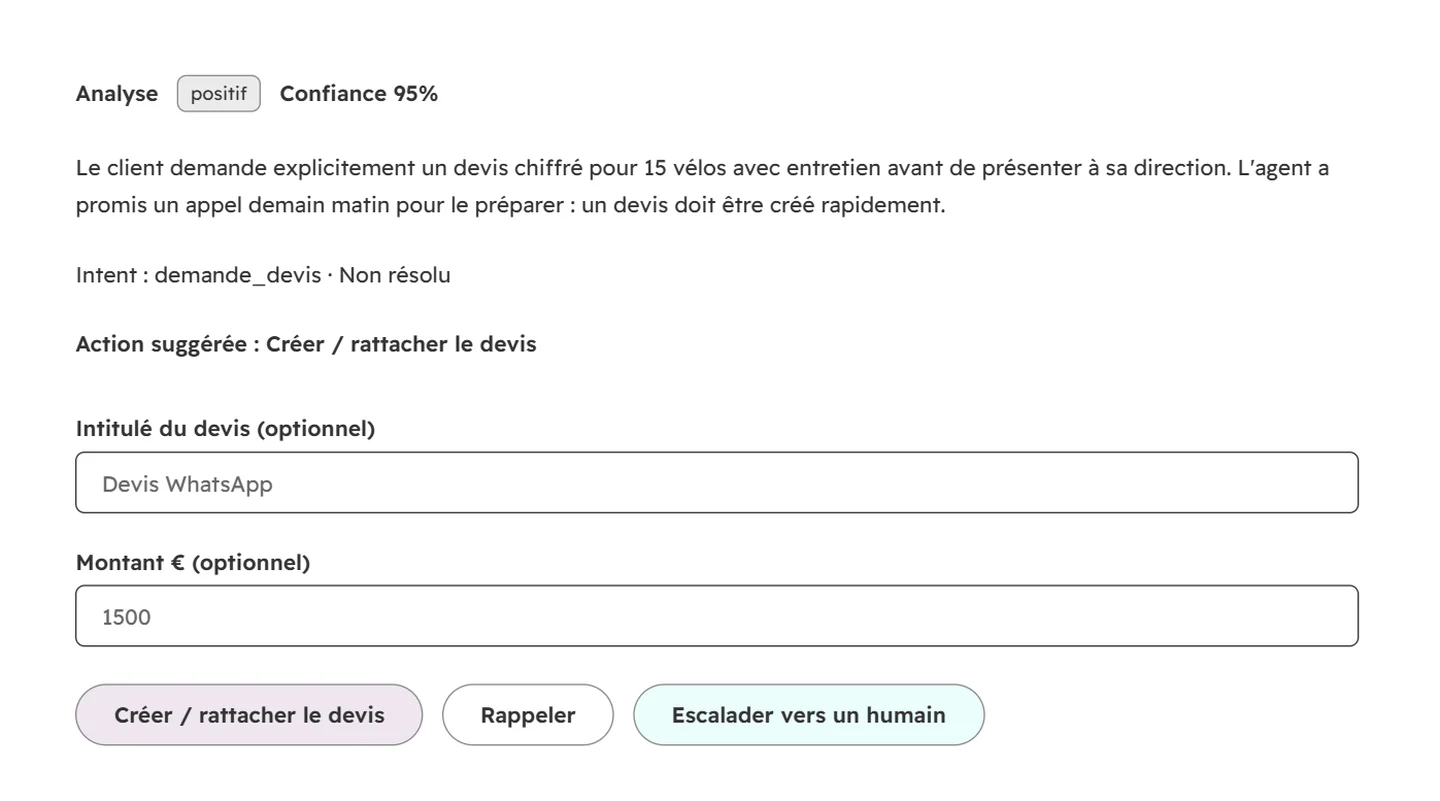
Then it becomes an action
As soon as a customer asks for a human, a task goes to the contact owner, with the link to the conversation. No conversation is left without an answer from your team.
-
3
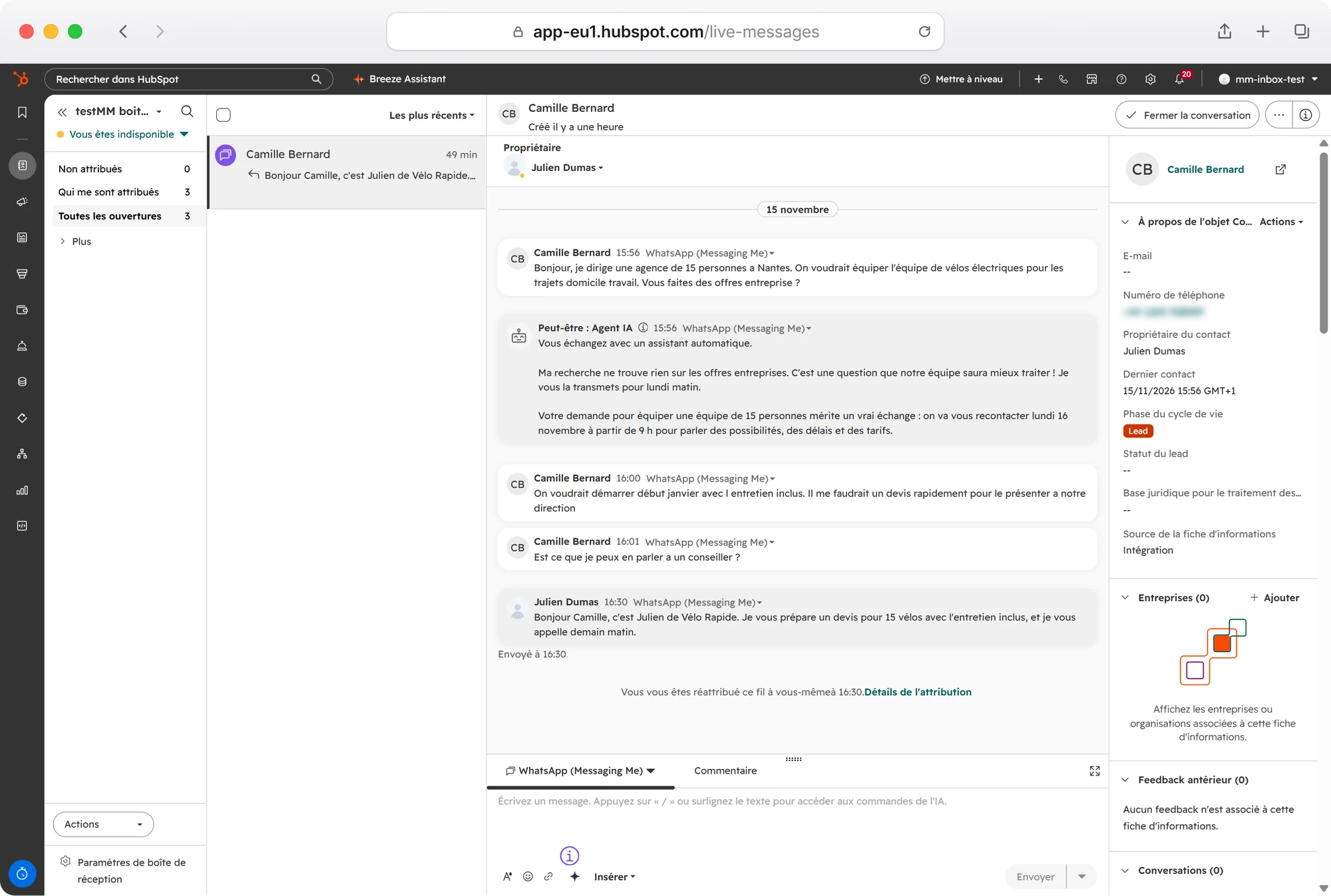
You reply without leaving HubSpot
With Sales Hub or Service Hub, the conversation arrives in your HubSpot Inbox. Without them, you reply from the contact record. The customer gets the reply on WhatsApp.
-
4
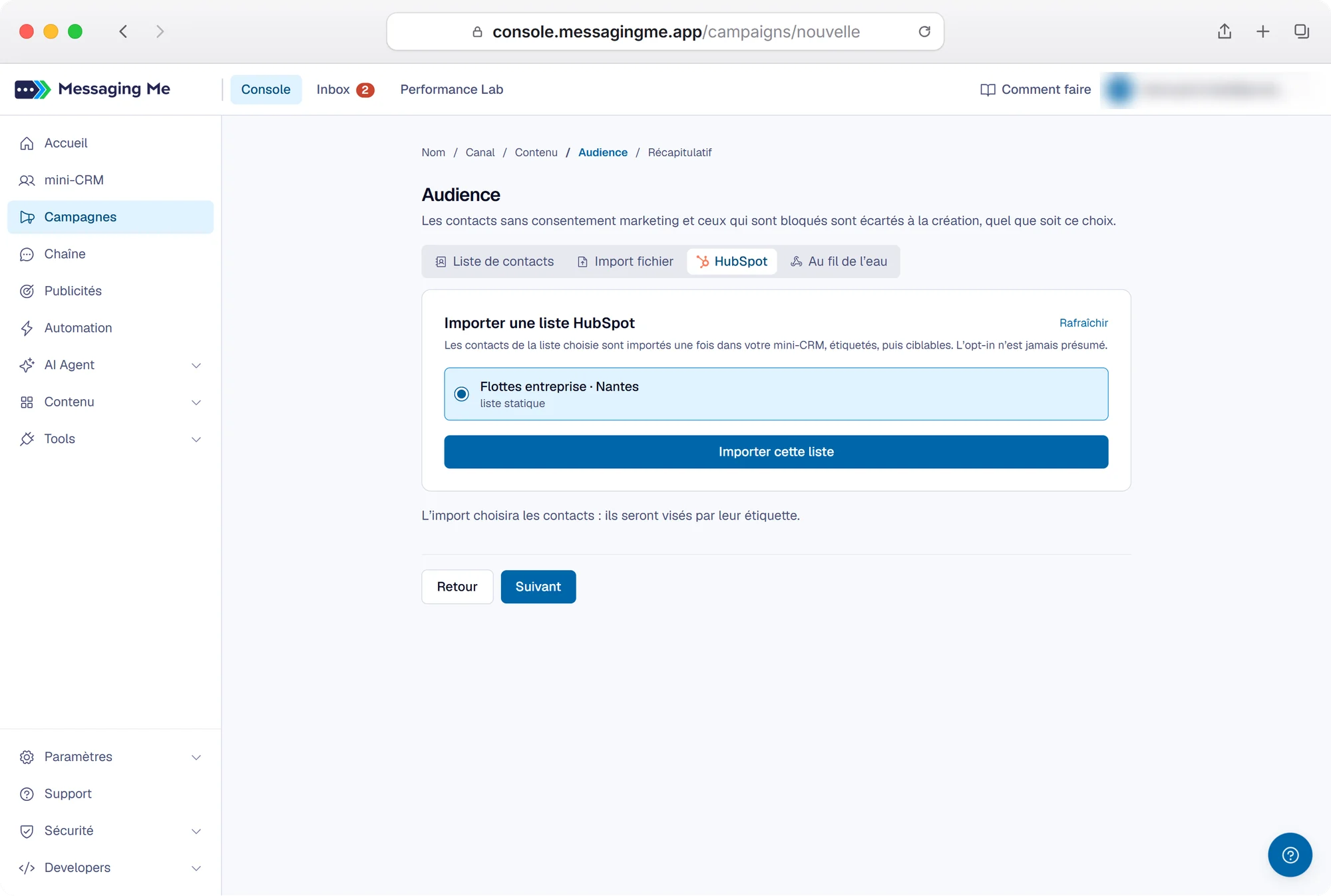
Your lists and your workflows go out on WhatsApp
A WhatsApp campaign targets a HubSpot list directly. A HubSpot form submitted, a deal changing stage: your workflows launch the scenario on WhatsApp.
HubSpot’s native channel, or Messaging Me?
The native channel plugs WhatsApp into your Inbox. Messaging Me creates the conversations, analyzes them and turns them into actions in HubSpot.
| Feature | HubSpot’s native WhatsApp channel | Messaging Me |
|---|---|---|
| The conversation in the Inbox, the reply from HubSpot | ||
| Templates sent from your workflows | ||
| With every HubSpot plan | Marketing Hub or Service Hub, Professional or Enterprise | |
| Every conversation analyzed: intent, sentiment, suggested action | ||
| HubSpot fields filled in from the conversation | ||
| A precise action, assigned to the right teammate | ||
| An AI agent that only hands you the conversations where the customer wants to talk | ||
| Scenarios connected to your APIs and your MCP tools | ||
| Leads from your Click-to-WhatsApp ads and your Meta forms | ||
| WhatsApp, RCS and fallback between channels |
Native channel: based on HubSpot’s documentation, November 2026.
Frequently asked questions.
Do you need Sales Hub or a HubSpot Pro plan?
No. The contact record card, the analysis, the tasks and the lists work with every HubSpot plan. Only workflows need a Pro plan, and the HubSpot Inbox needs Sales Hub or Service Hub Professional.
Where does a conversation’s analysis go?
To the contact record, as HubSpot properties: intent, sentiment, suggested action. Your lists and workflows can use them.
Who gets the task?
The contact owner, within a minute of the customer asking for a human. It checks itself off when someone replies.
Can a customer who said STOP receive a campaign?
No. Their HubSpot record is flagged, and nothing goes out to them: no campaign, no workflow, no reply from HubSpot.
WhatsApp, at the heart of your HubSpot.
Everything the app does, and how to connect it in a few minutes.