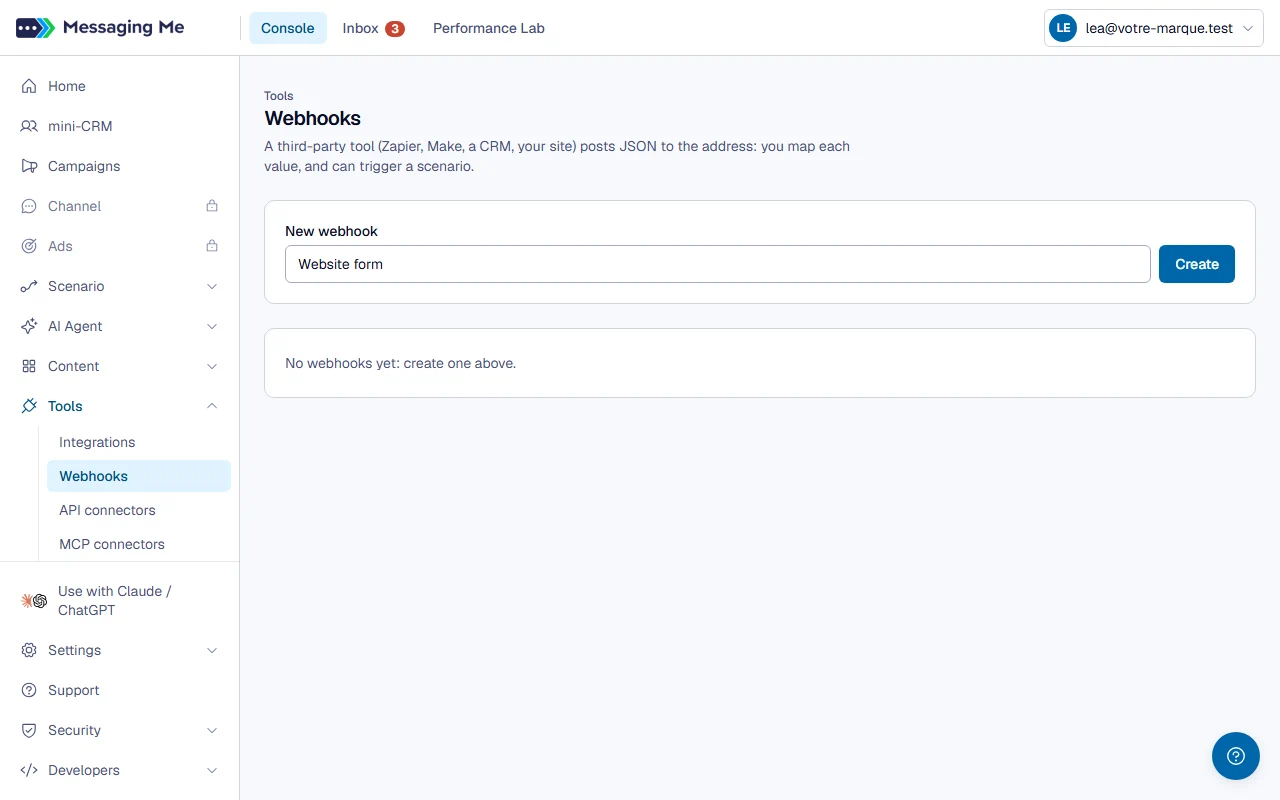
1. Create the webhook
In Tools > Webhooks, give it a name ("website form"), then "Create".
In detail
- A webhook is for administrators only: its address can write to your contacts, and send when a scenario is attached to it.
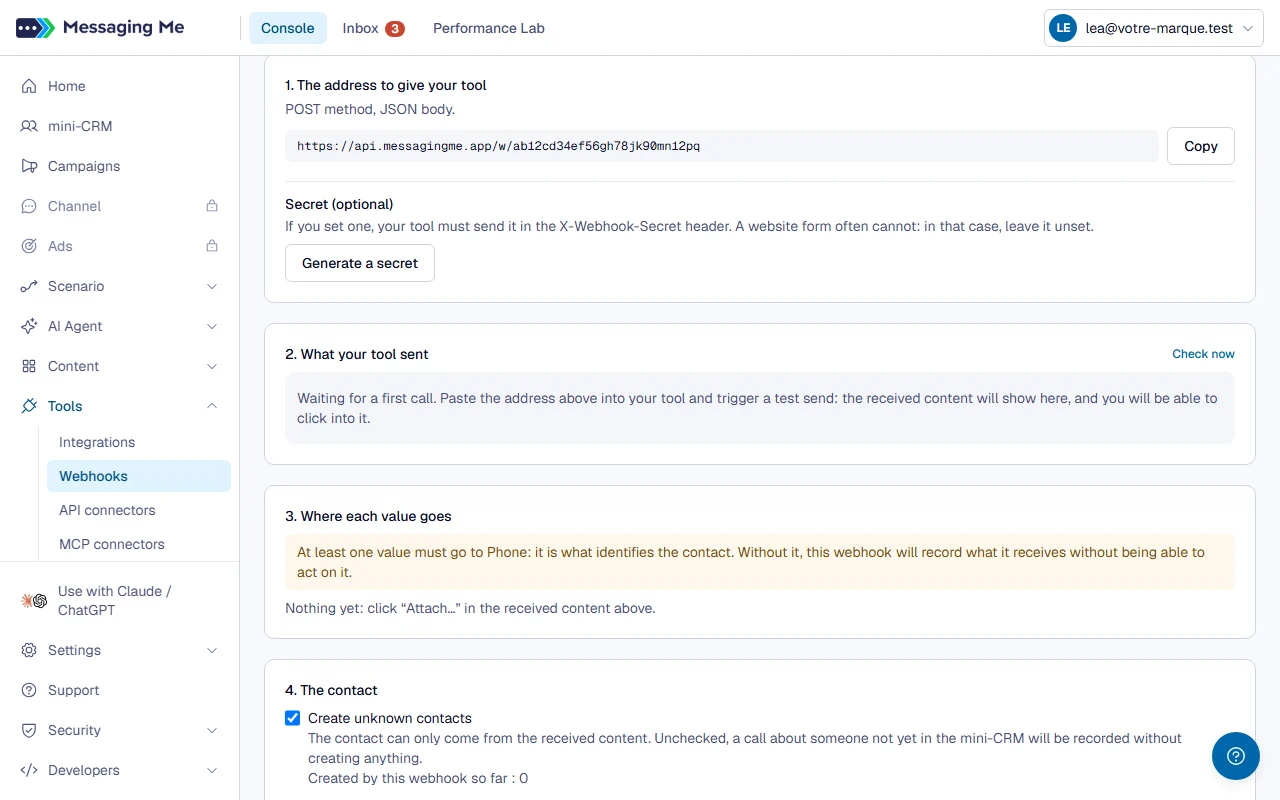
2. Give the address to your tool
Open the webhook: "Copy" the address in the section "1. The address to give your tool", and paste it into your tool, as a POST with a JSON body.
In detail
- The address works as a key. A secret, to put in a header, is optional: "Generate a secret", then copy it right away, it is never shown again.
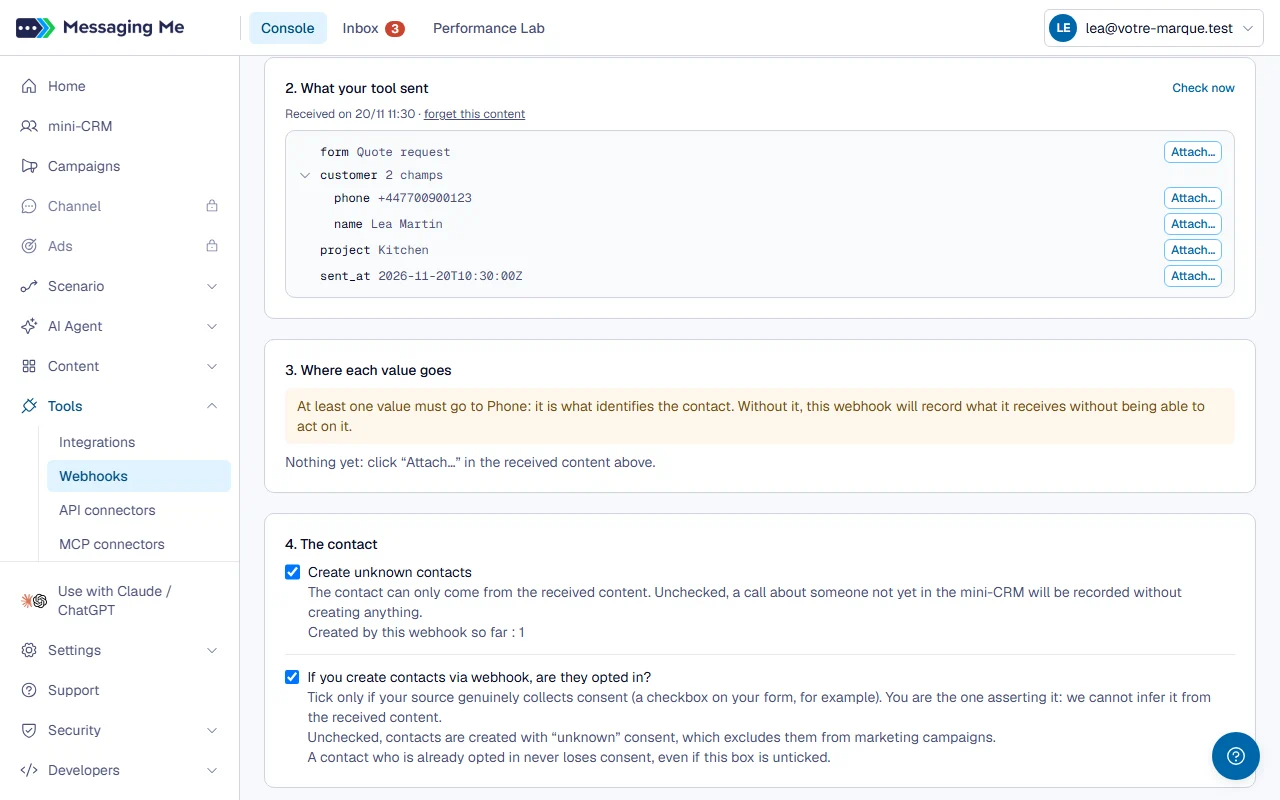
3. Send a test
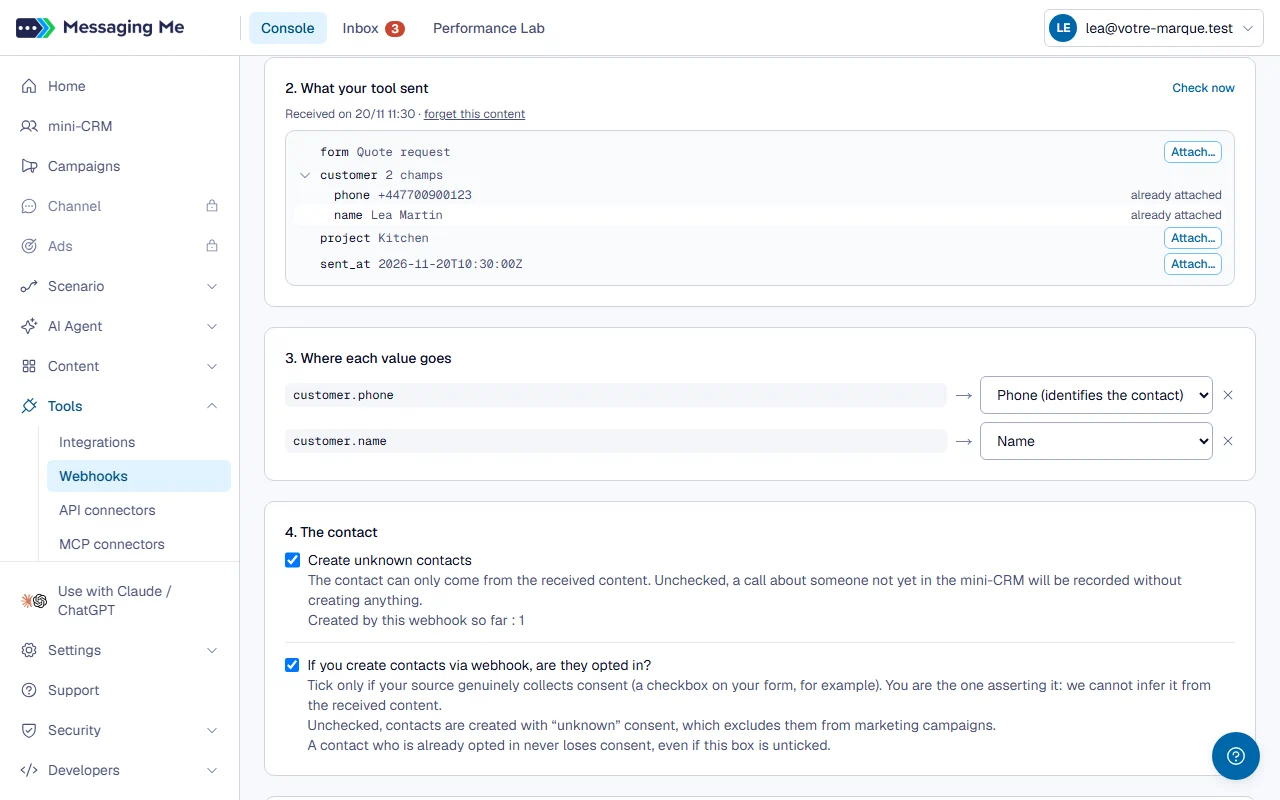
Trigger a send from your tool, then "Check now": the section "2. What your tool sent" shows the content received, as a tree.
In detail
- Only the last content received is kept, 7 days at most; "forget this content" erases it right away.
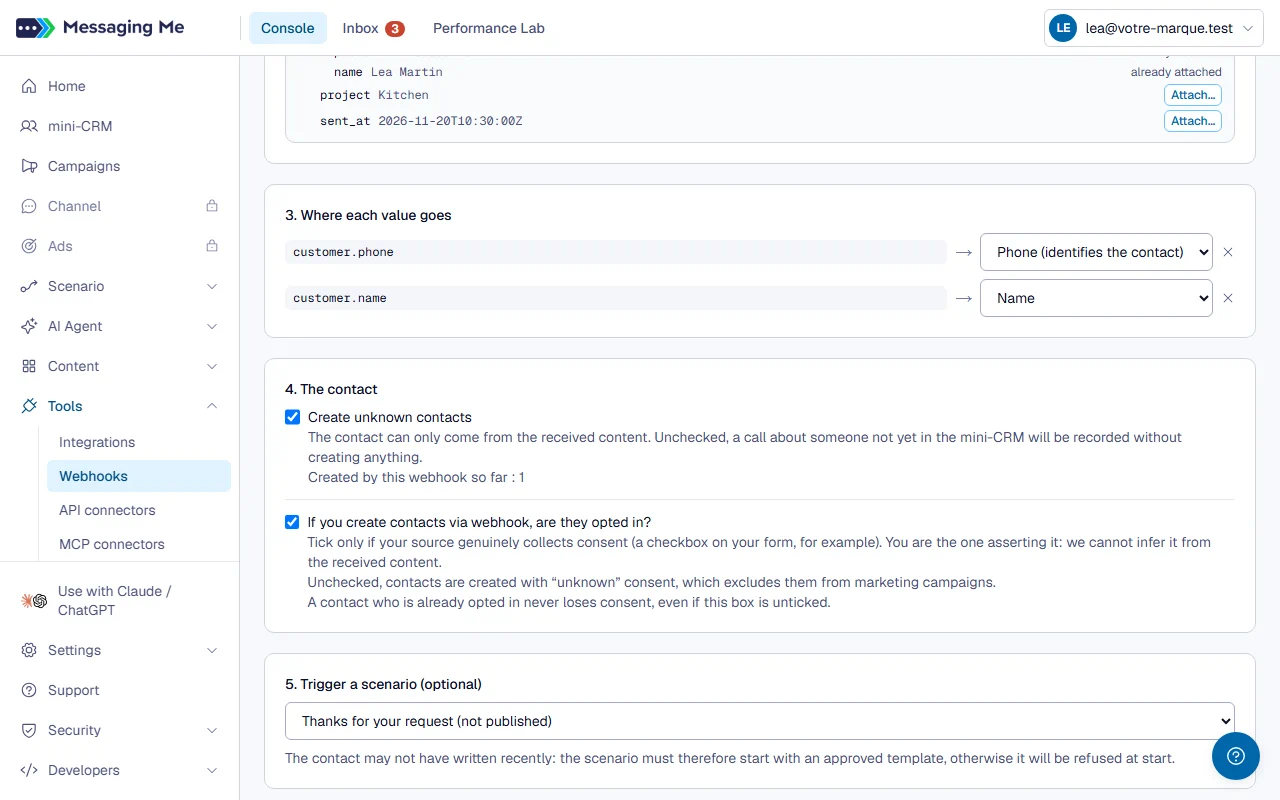
4. Say where each value goes
On each value, "Attach…": the phone (it is what identifies the contact), the name, or a contact field. "Create a field…" creates one without leaving the screen, its type guessed from the value.
In detail
- In a list, a value is pointed at item by item (the first item, not the whole list).
- A date is sent in the international format (2026-08-23T15:40:00Z): 03/04/2026 is refused, it could be 3 April or 4 March.
- A refused value does not block the rest: the contact and its other fields are written, and the answer sent back to your tool names what was left aside.
5. Set up the contact
In "4. The contact", "Create unknown contacts" decides whether a person missing from your contacts is created, and "If you create contacts via webhook, are they opted in?" whether they come with their consent.
In detail
- Consent is yours to state: unticked, the contacts created stay "unknown" and are left out of marketing campaigns. A contact who said STOP stays opted out, even with the box ticked.
6. Launch a scenario, if you want
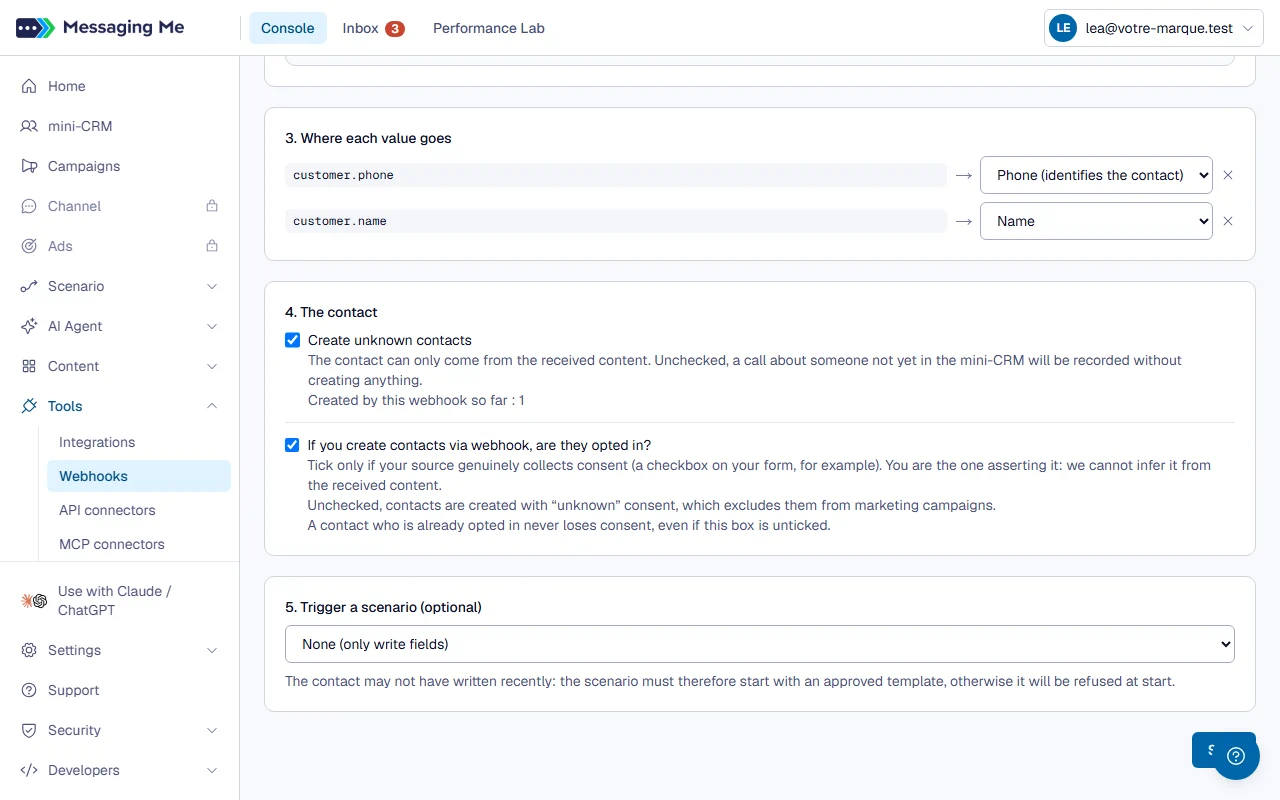
"5. Trigger a scenario (optional)": choose it, then "Save".
In detail
- The contact has not necessarily written recently: the scenario must start with an approved template.
- Your tool never receives an error for a refusal: the answer says what happened (contact created or found, fields written, scenario launched or not).