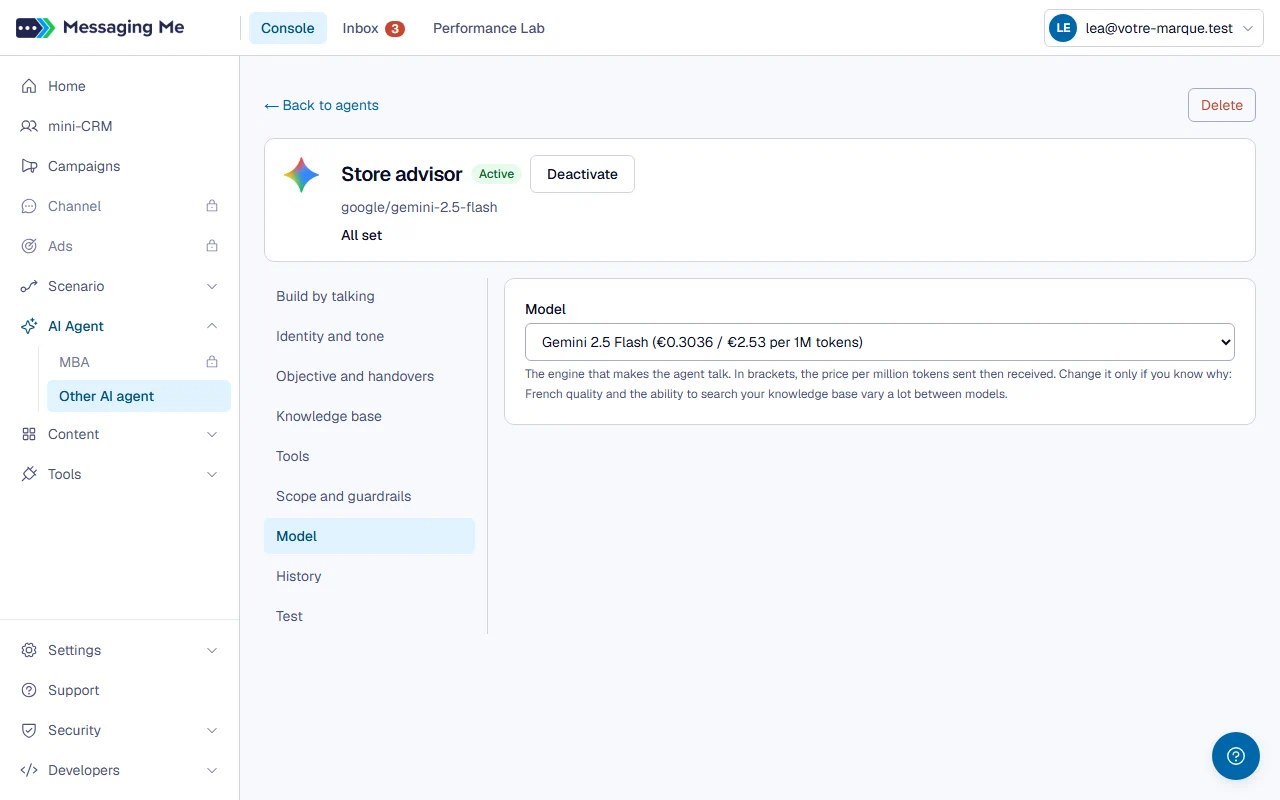
1. Choose the model
“Model” tab: pick from the list. In brackets, the price per million tokens sent, then received.
In detail
- The model is set at creation: change it only if you know why. French quality and the ability to search your base vary a lot from one model to another.
- All the models in the list can call tools and speak proper French: a model that cannot call a tool does not search your base, it makes things up.
- The price shown is the one you pay, your plan’s commission included. A model withdrawn by the provider disappears from the list.
- If the list is momentarily unavailable, the current model keeps working; try again later to change it.
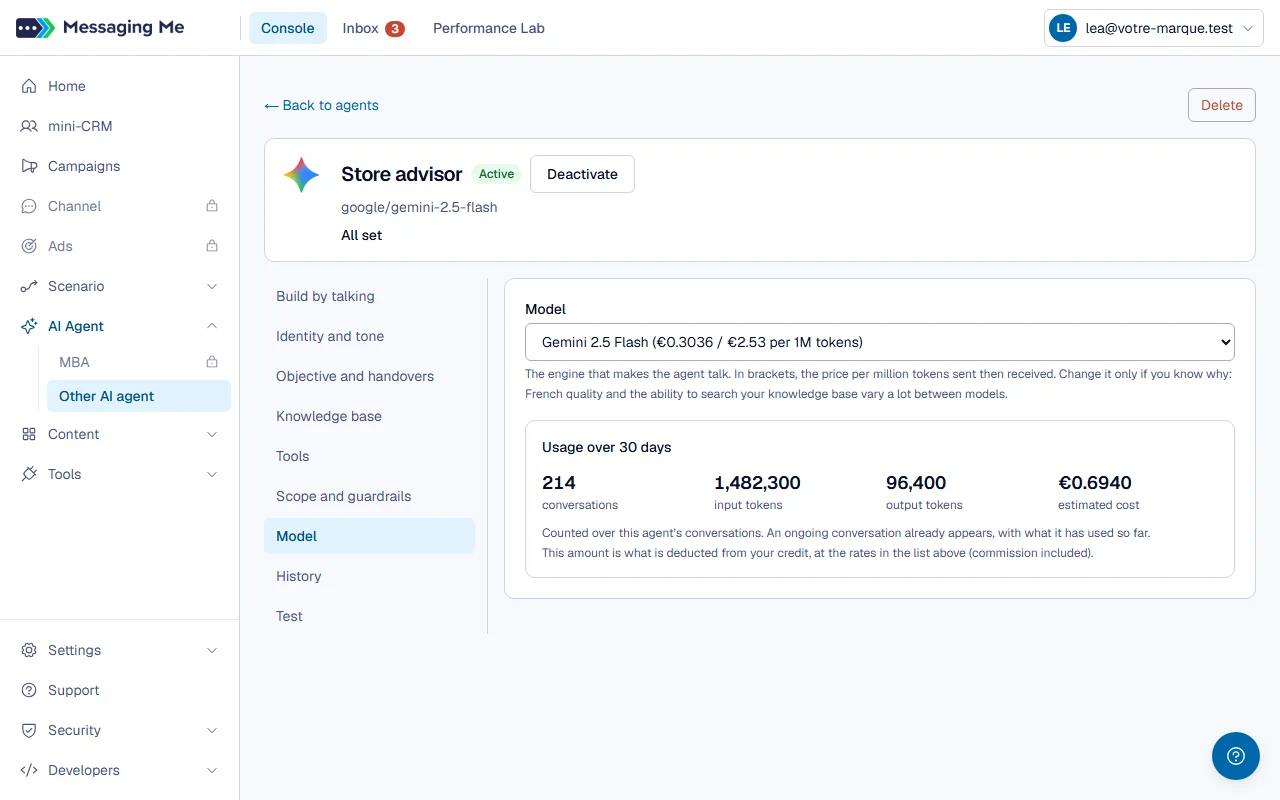
2. Read its usage
Under the list, “Usage over N days”: the conversations, the input and output tokens, and the estimated cost, at the list price.
In detail
- As long as the measure is not known, nothing is shown, rather than a zero that would suggest an agent that consumed nothing.
3. Set the caps on a conversation
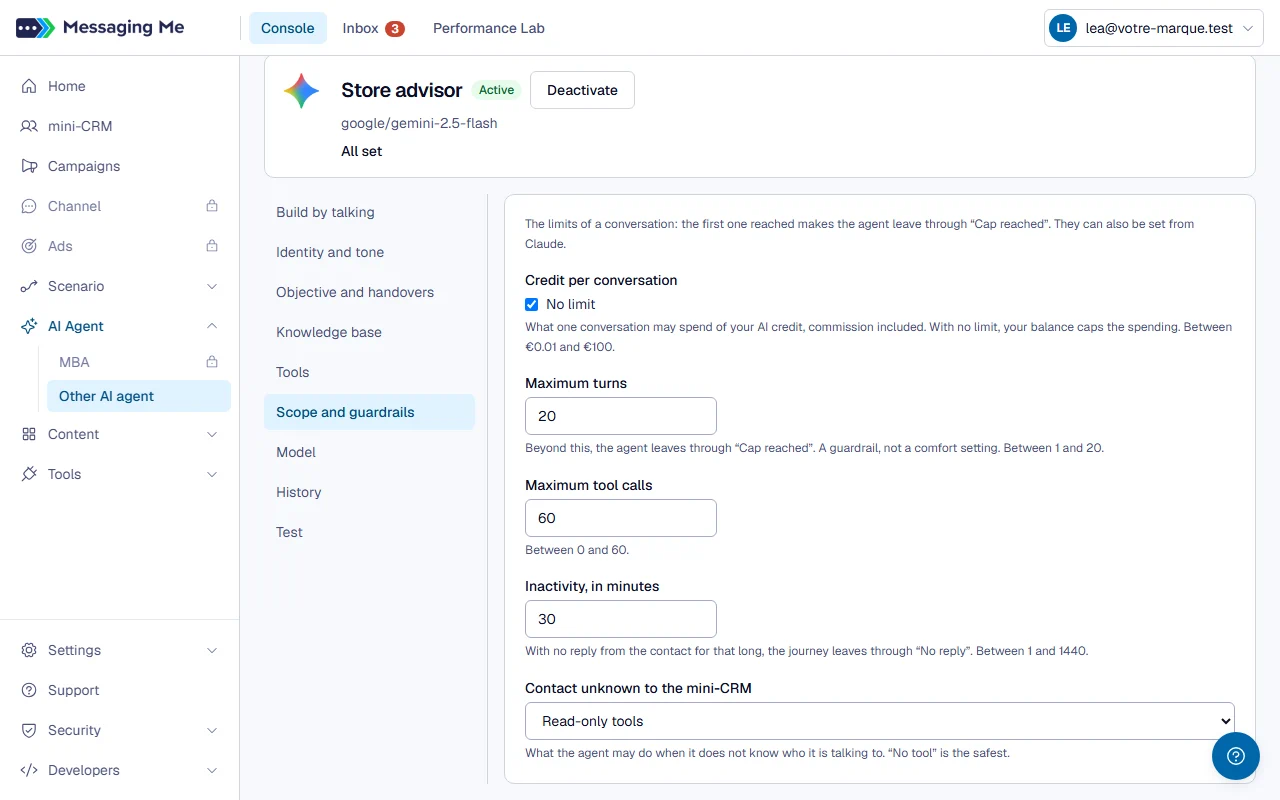
“Scope and guardrails” tab: the credit per conversation, the maximum turns and the maximum tool calls. The first one reached makes the agent leave through “Cap reached”.
In detail
- By default: no credit limit (“No limit” box, untick it to give an amount in euros), 20 answers and 60 actions of the agent, a search in its base or a tool.
- Turns go from 1 to 20, tool calls from 0 to 60. Each field states its bounds and refuses an out-of-range entry.
- “Cap reached” is an output of the AI agent block: connect it to the rest of the journey.
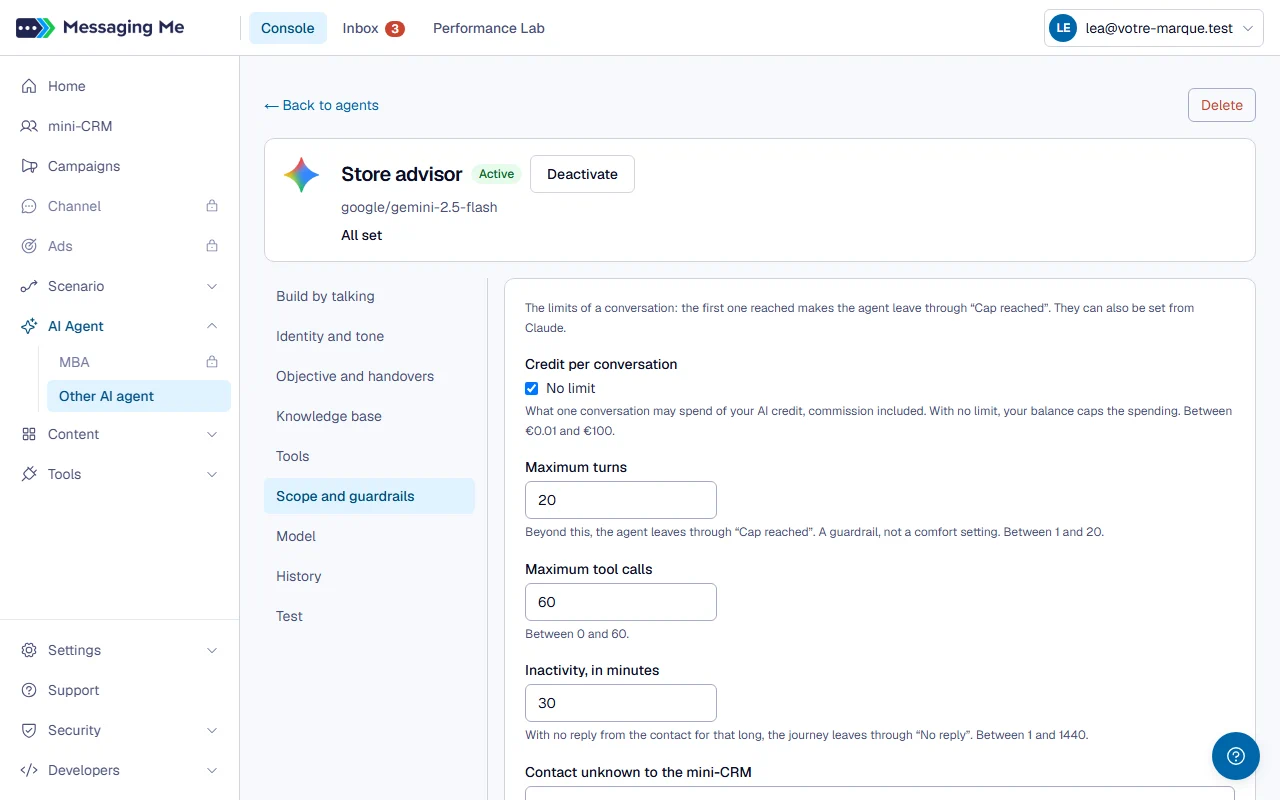
4. Set inactivity and the unknown contact
Same tab: “Inactivity, in minutes”, then what the agent may do with a “Contact unknown to the mini-CRM”.
In detail
- With no reply from the contact for that long (30 minutes by default, from 1 to 1,440), the journey leaves through “No reply”, and the agent does not start again if the contact comes back later. The setup assistant asks the question.
- With an unknown contact: “No tool”, “Read-only tools” (the default) or “All tools”. “No tool” is the safest.
5. Watch the AI credit
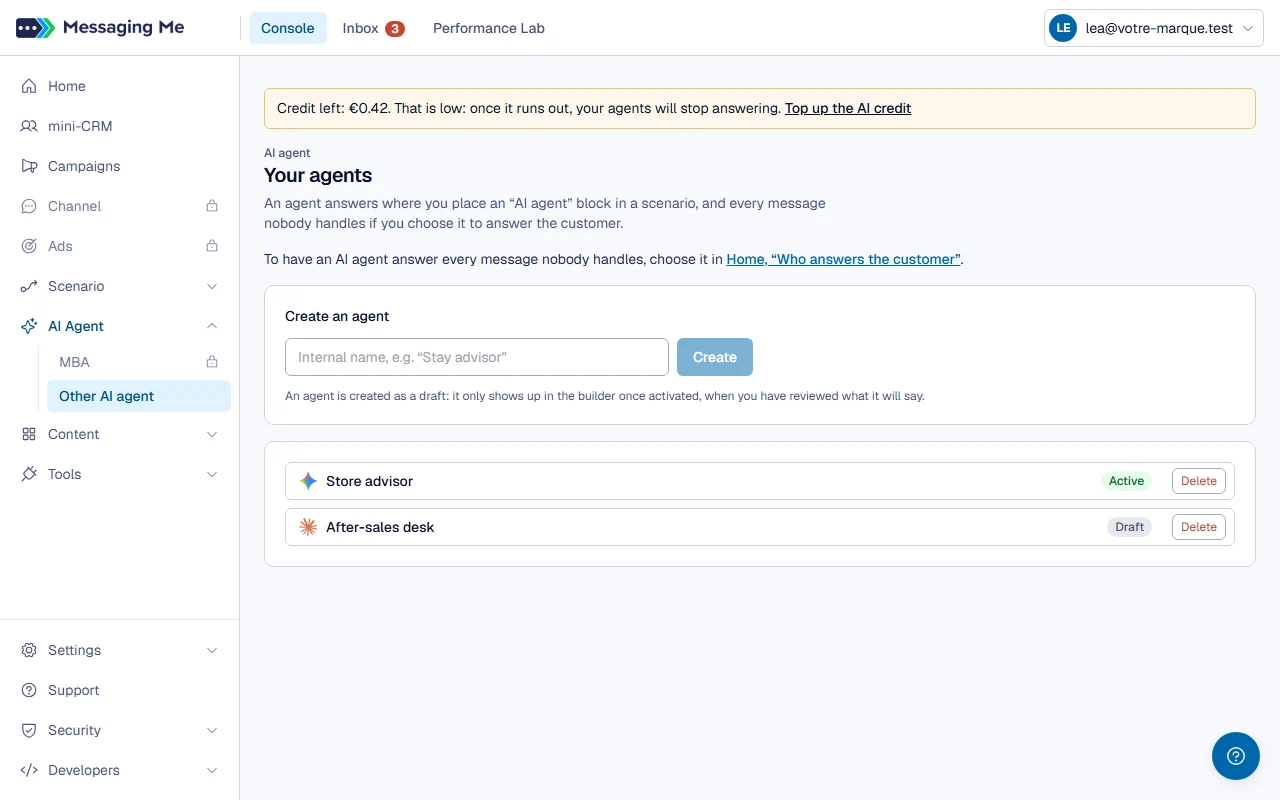
At the top of the agents list, the workspace’s credit left, in euros. “Top up the AI credit” leads to Settings > Plan.
In detail
- The balance goes down with each agent turn, at the price of the model list, search in the base included, and also when knowledge entries are prepared and with each Inbox translation or transcription.
- A warning appears below €0.50, a red banner at zero.
- At zero, your agents no longer answer and leave through “Cap reached”, no agent can be created, the Test tab refuses and new entries wait to be prepared.
- The agent that answers the customer then leaves every message to your team, with no automatic reply, and the admins get an email alert, one a day at most.
- Top-ups, the free credit and the Enterprise plan, where AI credit is unlimited: see “Top up the AI credit”.
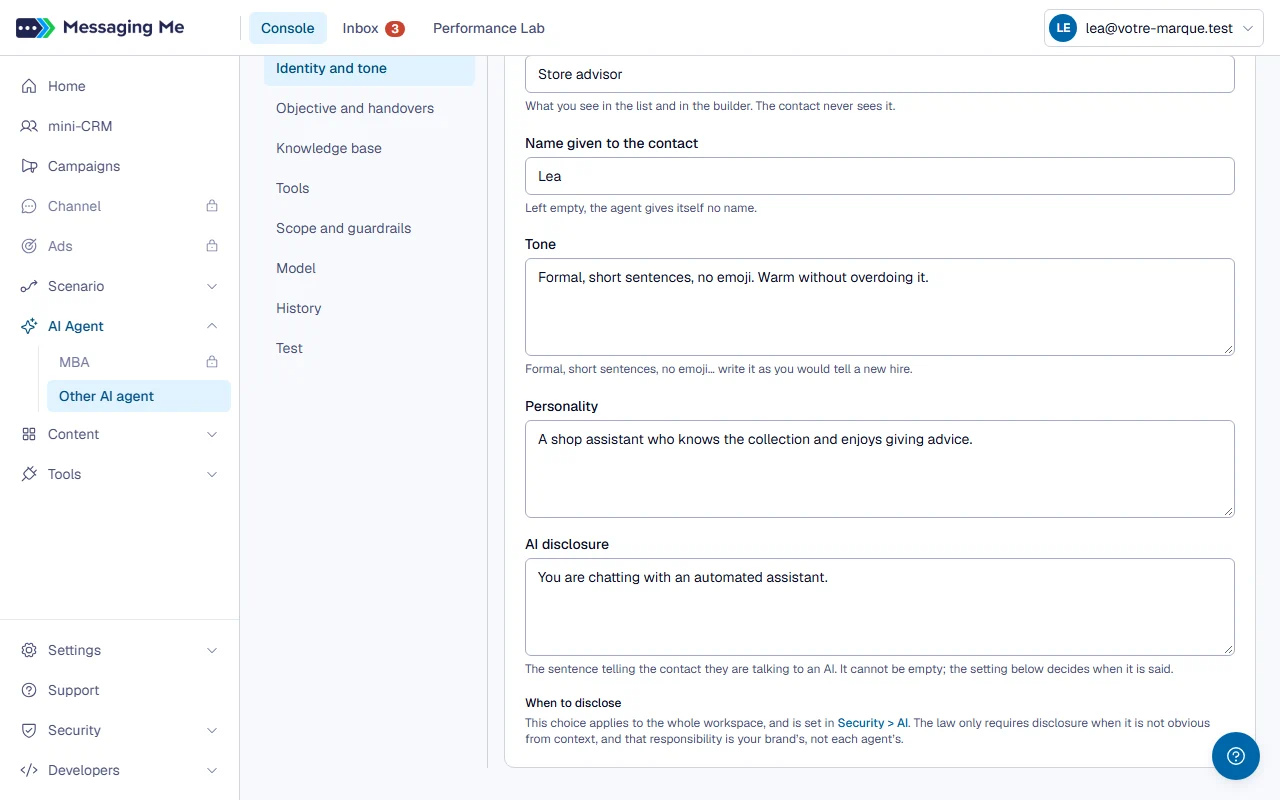
6. Write the AI disclosure
“Identity and tone” tab, “AI disclosure” field: the sentence telling the contact they are talking to an AI. It is pre-filled, editable, and can never be empty.
In detail
- When it is said is set for the whole workspace in Security > AI: never, once per session (the default), or with every message. That screen also shows each agent’s sentence.
- The platform places it at the top of the agent’s message, not the model: it goes out even when the agent checks its base before answering. “Once per session” means: as long as no message of the agent has gone out with it.
- “Never” is a choice, not an oversight: the law only requires disclosure when it is not obvious from context, and that responsibility is your brand’s.
- The setup assistant may not touch it. Meta’s agent is not concerned: it already adds its own.