
1. See where you stand
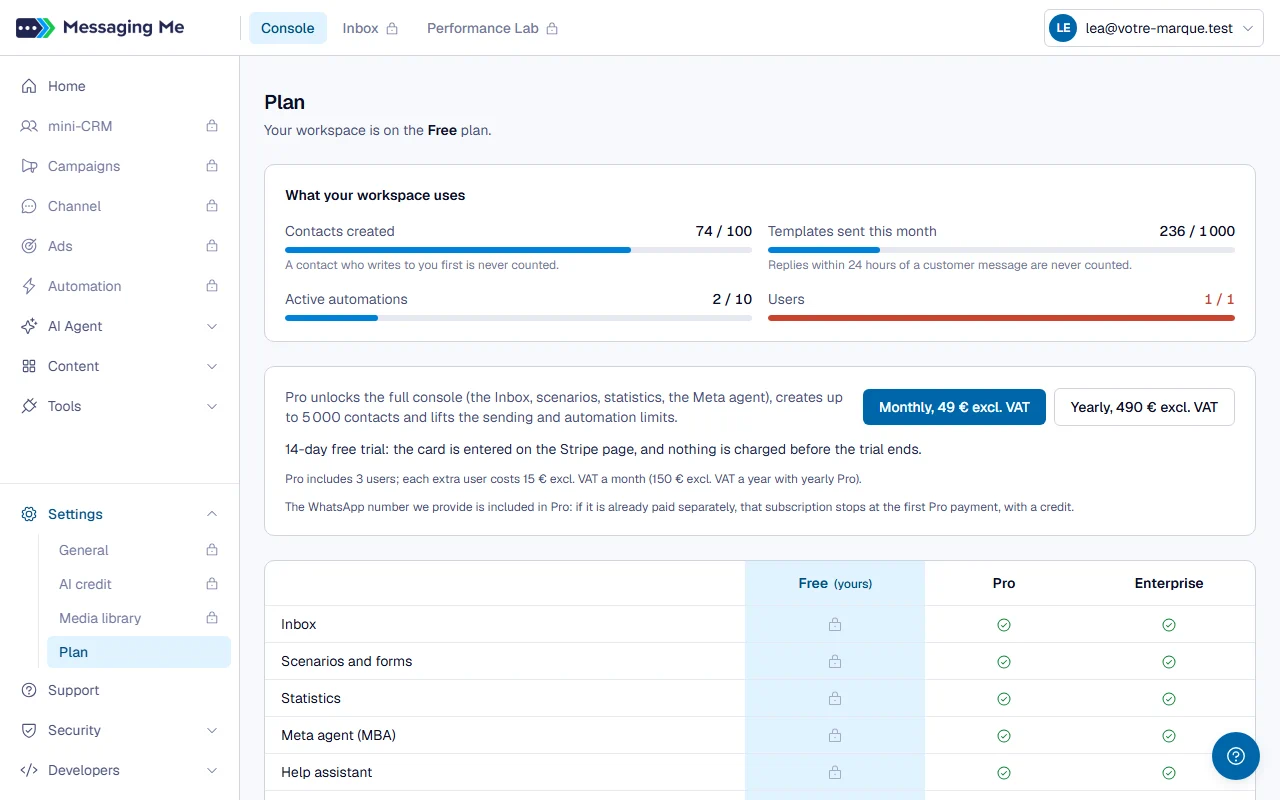
The Settings > Plan menu shows your plan, how much of each limit your workspace uses (contacts created, templates sent this month, automations switched on, users), and the three plans side by side.
2. Upgrade to Pro
On the Plan page, choose “Monthly” or “Yearly”: you pay on Stripe’s secure page, where a promo code can be entered, and your workspace switches to Pro as soon as the payment is confirmed, usually within the minute.
In detail
If your workspace has never had Pro, it starts with a free 14-day trial: the card is requested, nothing is charged before the trial ends, and the Plan page shows the end date. If these buttons do not appear, “Upgrade to Pro” opens Support with the subject already filled in. The Enterprise plan is requested through Support.
3. Manage my subscription
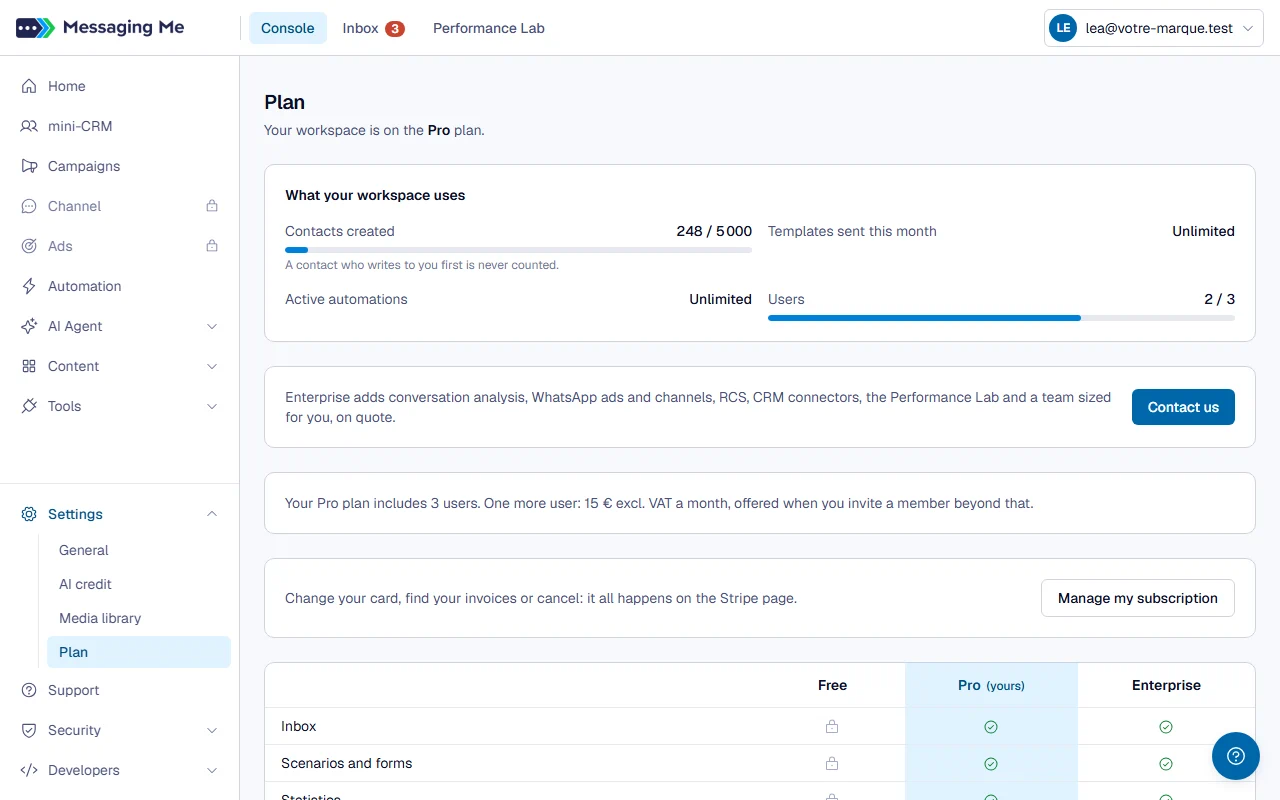
On Pro, the “Manage my subscription” button on the Plan page opens Stripe’s portal: change your card, find your invoices or cancel.
In detail
To switch from monthly to yearly, write to us through Support. A cancellation takes effect at the end of the paid period; your workspace then goes back to Free.
What each plan includes
What the Free plan includes. Your WhatsApp number, the API and the connection to Claude, with caps: contacts created, templates sent each month, a single user. Claude and the API read your conversations, reply to your customers within 24 hours, send your templates and build your AI agent. In the console, Free keeps the Home screen (your number), the API keys, the documentation, the plan, your account and support.
What Pro and Enterprise add. Pro opens the full console: the Inbox, scenarios, statistics, Meta’s agent, the assistants and email, with more contacts. It includes three users: beyond that, each extra user is paid for, and its price is shown when you invite the member, before anything is billed. The Plan page removes one, without a refund, once the extra member is deactivated. Conversation analysis, ads, channels, RCS, the CRM connectors and the full Performance Lab require Enterprise.
What is never counted. A contact who writes to you first does not count toward your contact limit. A reply sent within 24 hours of a customer’s message is not a template send: it is not counted either.
When something is not in your plan. The menu stays visible, greyed out, with a padlock: it takes you to the Plan page. If an action is refused because a limit is reached, a message tells you so, with a “See plans” button.
What the plan changes to costs. Our commission on AI credit is 50% on Free, 20% on Pro and 10% on Enterprise. Conversation analysis only runs on Enterprise: when your workspace moves to it, a conversation is analysed at its first new message (the past is not caught up). On Free, conversations are kept 30 days, but only 30 days after entering Free: when the workspace is created, when your Pro ends or when you leave Enterprise.
If your workspace goes back to Free
Nothing is deleted, and everything comes back when you take Pro again. Meanwhile, only your 10 oldest automations still start their scenarios (your widgets no longer start theirs), Meta’s agent no longer takes new conversations, and members beyond the Free plan’s limit have their access suspended (the oldest administrator keeps theirs): as soon as the workspace is back on Pro, “Retry” gives them the console back.
Your provided number
It is included in Pro: get it at no cost from the “Connect WhatsApp” page. If it was already paid for separately, that subscription stops at the first Pro payment, with a credit on the next invoice. If you cancel Pro, the Plan page and an email warn you: when Pro ends, the number moves to €3.50 excl. VAT a month on the same card. To give it back instead, choose “Give back my number when Pro ends” on the Plan page; you can change your mind as long as Pro is running. If you send through your own number, the provided number does not resume: it is released seven days after Pro ends.